


🔥4 In 1 High Speed USB Multi Drive Flash Drive
🔥4 In 1 High Speed USB Multi Drive Flash Drive
BUNDLE & SAVE
Couldn't load pickup availability
-
Ordered
- - -
Order Ready
- - -
Delivered

🔥4 In 1 High Speed USB Multi Drive Flash Drive

The lowest price of the year!Due to high demand,this promotion lasts only a few days while supply lasts. Seize the discount now!
- ⏰Handling time>> Fast shipping after payment.
- 😊Returns>> Fast returns by Professional Customer Service Team, Service Satisfaction Guarantee.
- 🚢Shipping>> We'll arrange the fastest shipping for you.
- ❤️Easy and fast returns by a professional customer service team
- ⭐SSL Certificates For 100% Security
- 📧Email Support>>Please contact us if you need any assistance
93.8% of customers choose 128G (enough storage space, cost-effective)
What files can I transfer?
The Flash Drive supports all common image, video, and audio files. This includes stored pictures & videos from your camera roll, and music & voice recordings from your phone!


Make space on your phone, effortlessly.

Seamless Data Transfer
Copy your files via our proprietary app and they'll show up on the drive - so you have a totally secure back-up of all the important moments.

Product information
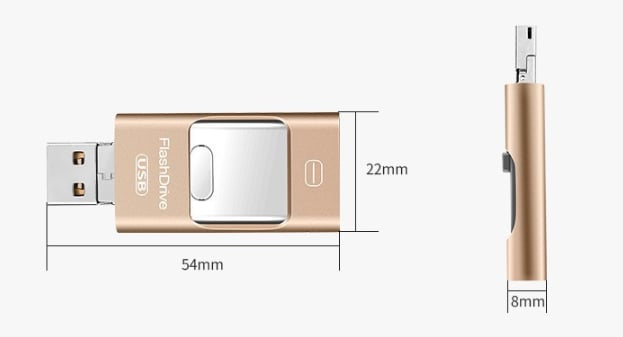
- Weight:15g
- Maximum performance: Lightning: 20MB/s USB 3.0: 50MB/s
- Operating voltage: Lightning: 3.3V ± 5% USB 3.0: 5V ± 5%
- Maximum performance: 0°C (32°F) ~ 70°C (158°F)
- Connector: Lightning&USB 3.0&Mirco
- File Format: FAT32/exFAT
- Certification: CE FCC
- Shelf life: 1 year
- Supported devices: All iOS, Android, and PC computers/laptops.
FAQ
Will this work with my device?
Absolutely! The 4 in 1 Flash Drive is compatible with all iOS, Android, and PC computers/laptops. If your device has a lightning port or USB port, it will work just fine!
It includes the following port connections:
- Lightning (Apple)
- Micro USB (Android)
- USB C (Android + Laptops/PC)
- USB A (Laptops/PC)
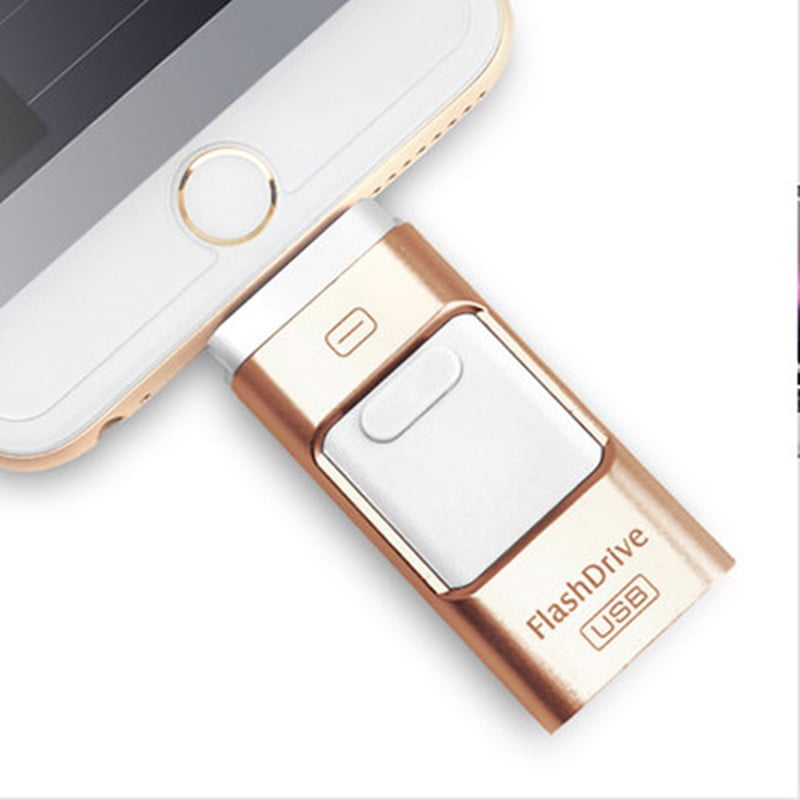
1. Use on iPhone and iPad (lighting interface)
(1)Download Y-DISK APP according to the instructions

(2)Insert Flash Drive

3. Open the APP to start transferring files

2.For Android,Insert our products directly, and then go to file management to start transferring files

3. USE ON NEW iPad ,with the USB-C connector
(1)Using USB-C adapter, insert your new ipad

(2)Find the folder and enter the folder

(3)Find our USB device and start to back up files

HOW TO PAY
✅Payments Via PayPal®, Debit and CreditCard.
Add to cart first, and Check out, then select Shipping method and Payment method.

Collapsible row
Collapsible row


Custom columns
Use the flexible grid system to create any layout. Each block can be placed in any of the columns.
Image/Video Slider
Content heading
Pair icons with content to focus on your chosen product, collection, or blog post. Add details on availability, style, or even provide a review.